Credentials Scanning in GitLab Pipelines
This example focuses on GitLab, but Pipeleek also supports other platforms. Refer to the documentation for details on additional integrations.
Suppose you're conducting a penetration test and have access to a GitLab instance with a user account. Your goal is to scan the pipelines for exposed secrets and credentials.
Start by creating a personal access token (Menu → Preferences → Access Tokens) and grant it read access scopes. Additionally, use your browser's developer tools to extract the session cookie (_gitlab_session).
For an initial scan, target all repositories you can access, including public ones. To keep the scan fast and broad, limit it to the latest 15 jobs per project:
Findings use the hit log level. The sample output above uses additional YAML rules; your findings depend on the rules and credentials present. Review non-verified hits manually, or use --confidence=verified to show only successfully verified credentials. See detection, verification, and rules for reporting behavior and optional rule downloads.
Job-log (type=log) and artifact (type=archive) findings link to the job.
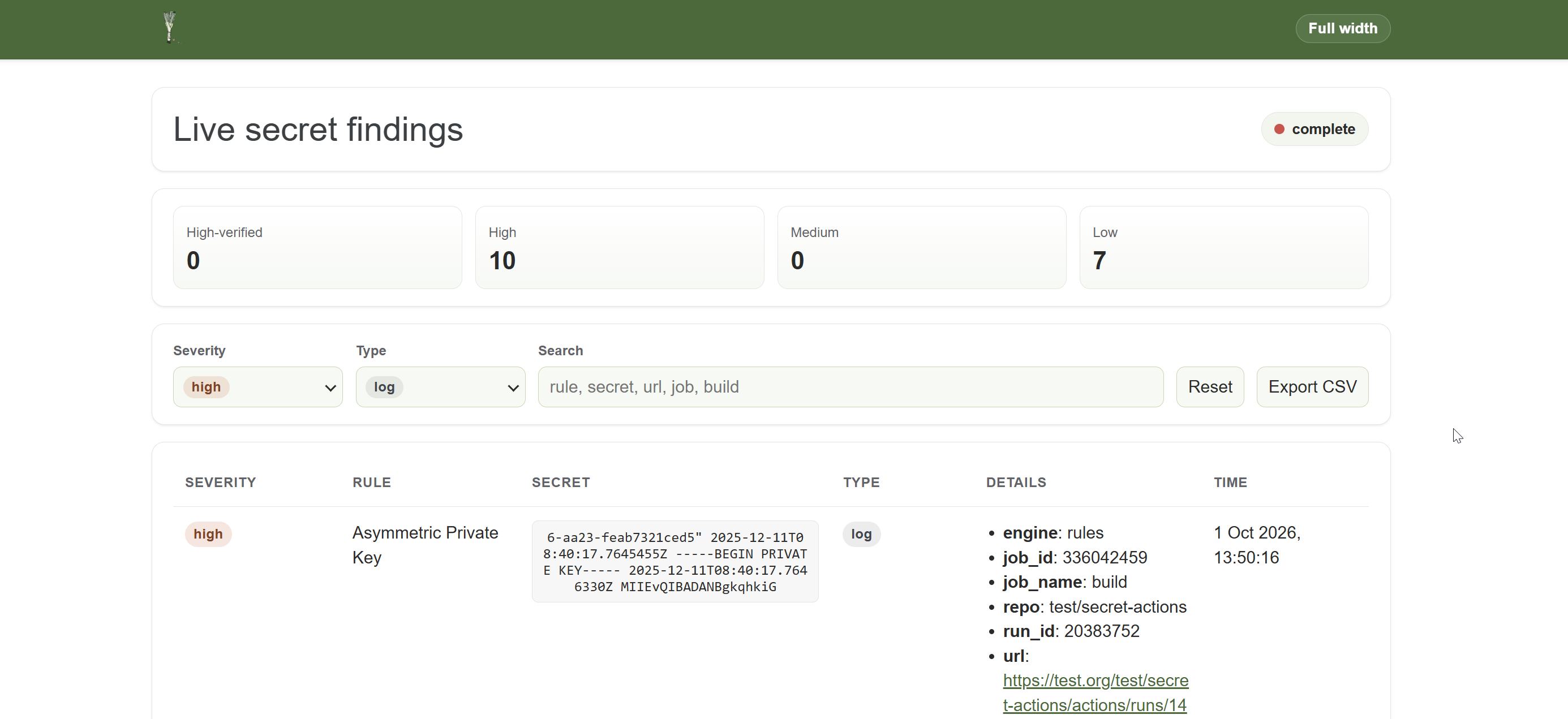
Live Findings Web UI
Add --webui to serve findings in a live web UI while the scan runs. Pipeleek binds the UI to 127.0.0.1 on an available local port and prints a URL with a random access token. The UI is only reachable from the local machine by default. Open the printed URL in a browser to watch findings arrive, filter and search them, and export them as CSV. Results remain available after the scan completes, and the command keeps serving the UI until you press Ctrl+C. The URL grants access to scan findings; treat it as sensitive and redact its token before sharing logs.
Below Live secret findings, the UI shows the target instance and effective scan flags, including values from configuration and defaults. Credential values such as tokens and cookies are redacted, and credentials, query parameters, and fragments in the target URL are omitted.
Use -v with --webui to see debug-level startup details:
The Findings web UI started message appears near the start of the scan. Use the URL from your own run; its port and token are generated dynamically.
If you find a repository that looks particularly interesting e.g. secret-pipelines, you can scan all its job logs, not just the most recent ones: